Wait, is it already a month!? More like I kind of forgot about this website. I guess I will write something quick about programing: Python on USB flash drive.
One thing I want from my school is that computers have the Python IDLE installed. Sadly, that is too much for the system admins to do. Lucky form me I found a website that helps me to run python 3 on a USB drive.

Winpython.github.io has created a portable version for the Python programing language for Windows computers. As of today, they are using version 3.7.4. If you are a student, then I recommend you use the official one at Python.org, but you need one that needs to be portable, then download Winpython.

First, if you are a student and you only need the basic tools, then WinPython 3.7.4 Zero is what you need. If you are pro, then check others for specialized tool or packages (Jupyter Server, Nodejs v10.16.0, etc.). Just extract the file and put the folder in your flash drive

WinPython32-3.7.4.1Zero.exe file size is 30MB, but installation size is about 100MB. Its not that big, but the other versions are like over 1GB installed size.

To test that everything is good to go, open the IDLE and do your 'print("Hello world")' in the IDLE shell and test that it works. Or you want to open your .py file, then go to Open, open your file, and the script file editing window pops up with your script. Press the run and your script will now work.
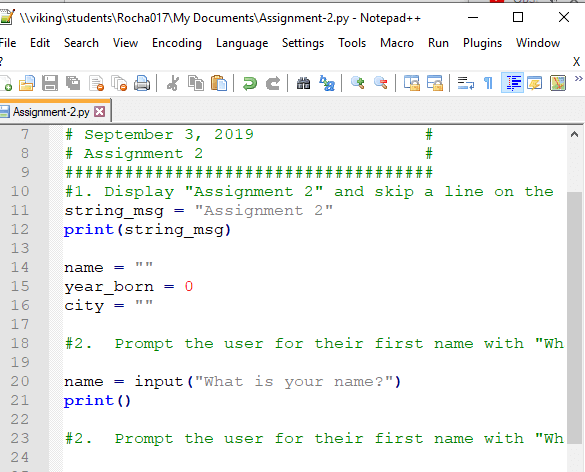
Ok, I will admit I don't like the Pythons's IDLE shell window, but I prefer using my portable Notepad++ app and then run the code by using the RUN command. But first, you need to find where your idle.bat file is.

In order to use Notepad++'s Run command so that you can run your .py files is to know where yout idle.bat file is. In my situation it’s in here:
D:\WPy64-3740\python-3.7.4.amd64\Lib\idlelib\idle.bat
Now, we want to "read" the file and let Notepad++ where the path of the source of the .py file. Just put this code in Notepad++ by using:
-r "$(FULL_CURRENT_PATH)"
This is what it looks like on my configuration:
"D:\WPy64-3740\python-3.7.4.amd64\Lib\idlelib\idle.bat" -r "$(FULL_CURRENT_PATH)"

Special thanks to: Notepad++ On the menu go to: Run -> Run.. (F5)
Well that's it for today, as I am busy again with school. Nothing special, but I will do my best to post more.

jesueRocha, Jesue Rocha

Just another programmer/network/security person
Loves technology and retro video games. Likes to program on his spare time and rides a Kawasaki Ninja to the sunset 24/7.